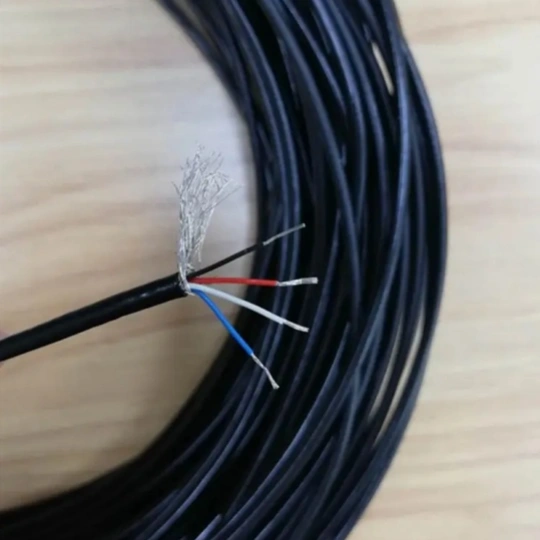
Electrical cable overload is a silent threat that can lead to catastrophic consequences, including fires, equipment damage, and costly downtime. Thermal imaging cameras have emerged as a game-changing tool for identifying overheating in electrical systems before failures occur. This guide explains how to use thermal imaging to detect cable overload effectively, ensuring safety and reliability in your electrical infrastructure.
Why Use a Thermal Imaging Camera for Cable Overload Detection?
Thermal imaging cameras (infrared cameras) capture heat signatures invisible to the naked eye, making them ideal for spotting abnormal temperature rises in cables, connectors, and components. According to the National Fire Protection Association (NFPA), electrical failures cause over 45,000 fires annually in the U.S. alone. Proactive thermal inspections can mitigate these risks by:
- Identifying hotspots caused by overloading, loose connections, or corrosion.
- Preventing unplanned downtime in industrial or commercial facilities.
- Reducing energy waste and optimizing electrical system performance.
Step-by-Step Method to Detect Cable Overload with a Thermal Camera
1. Prepare Your Equipment and Environment
- Choose the right thermal camera: Opt for a device with a resolution of at least 320×240 pixels and a thermal sensitivity of ≤50mK for precise readings.
- Ensure safety: Wear personal protective equipment (PPE) and de-energize non-critical circuits if possible.
- Optimize conditions: Conduct inspections during steady electrical load conditions. Avoid reflections from sunlight or other heat sources.
2. Scan Electrical Panels and Cable Connections
- Focus on high-risk areas: circuit breakers, terminal blocks, and cable joints.
- Capture baseline images of components operating under normal load to compare with future scans.
- Look for temperature anomalies: A difference of 10–15°C (18–27°F) between similar components often indicates a problem.
3. Analyze Thermal Patterns
- Overload hotspots: Overloaded cables typically show uniform heating along their length.
- Connection issues: Localized hotspots at connectors or splices suggest loose contacts or corrosion.
- Load imbalance: Compare temperatures across phases in three-phase systems. Uneven heating may signal unbalanced loads.
4. Prioritize and Address Issues
- Classify findings using standards like NFPA 70B or IEC 60085. For example:
- Critical (>30°C above ambient): Immediate repair required.
- Moderate (15–30°C above ambient): Schedule maintenance within weeks.
- Minor (<15°C difference): Monitor during future inspections.
- Document findings with thermal images and reports for compliance and trend analysis.
Best Practices for Accurate Thermal Inspections
- Train personnel: Ensure operators understand electrical systems and thermal imaging basics. Certifications like Level I Thermography are recommended.
- Combine with other tools: Use clamp meters to measure current and verify load levels alongside thermal data.
- Regular inspections: Perform scans annually or semi-annually in high-load environments like data centers or manufacturing plants.
Real-World Applications
- Industrial facilities: Prevent production halts by identifying overloaded motor cables.
- Commercial buildings: Avoid fire risks in aging electrical panels.
- Renewable energy systems: Monitor solar farm connections for overheating due to fluctuating loads.
Limitations and Safety Notes
- Thermal imaging can’t detect internal cable faults (e.g., insulation degradation). Pair it with insulation resistance testing for comprehensive diagnostics.
- Always follow arc flash safety protocols when inspecting live equipment.